| .. | ||
| Android.bp | ||
| README.md | ||
| setup.png | ||
| VtsHalTvCecV1_0TargetTest.cpp | ||


CEC VTS testing for Android TV devices
Validate HDMI CEC VTS (android.hardware.tv.cec@1.0) functionality.
Setup:
Running these CEC VTS tests requires an Android playback, TV or audio device connected to the host machine.
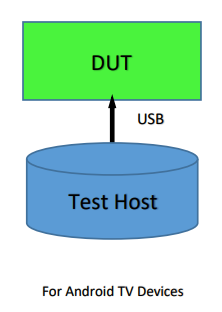
Building
From the Android root folder, after choosing the lunch combo, use make vts to build VTS.
Automation
On the host machine, ensure that the software requirements for python SDK are met.
Given the setup described above you can run tests with any of the following commands:
- Using vts-tradefed :
cd $ANDROID_BUILD_TOP/out/host/linux-x86/vts/android-vts/tools
./vts-tradefed run commandAndExit vts -m VtsHalTvCecV1_0TargetTest
- Using atest
atest VtsHalTvCecV1_0TargetTest
Note : atest internally handles building as well. To update the test use '-c' (clear cache) option